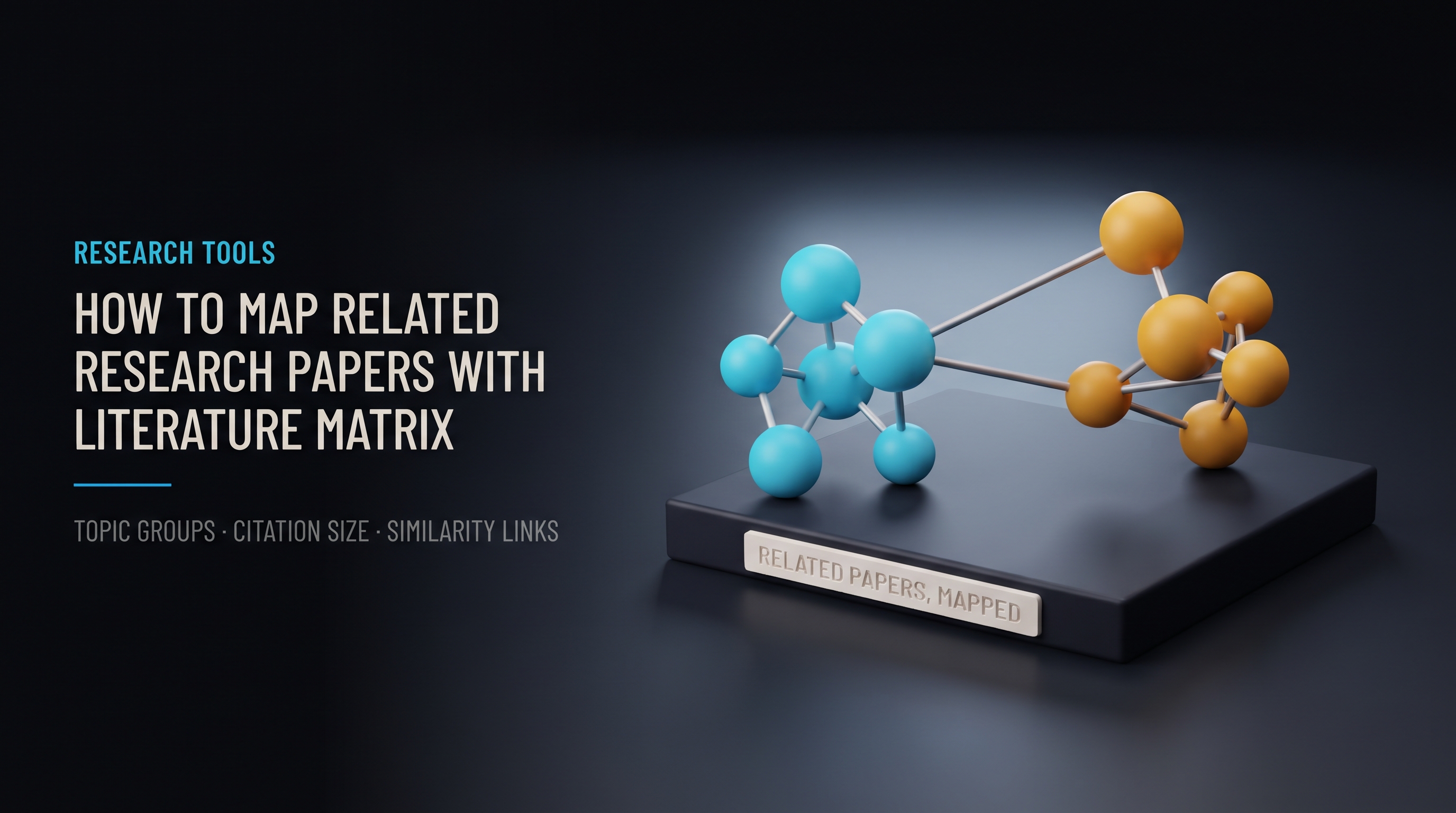
Short answer: SciCampus Literature Matrix is a research paper mapping tool. You enter a topic, a paper title or a DOI, and it builds an interactive map of up to 40 related papers. Papers with similar content sit close together, colors mark topic groups, lines show content similarity, and circle size reflects citation counts. It helps you decide what to read first. It does not replace reading the papers.
Finding relevant papers is only the first half of a literature review. The second half is understanding how they relate: which ones study similar questions, how the field is organized, and which studies attract the most citations. A long list of search results does not show that structure. A map can.
What is SciCampus Literature Matrix?
The SciCampus Literature Matrix visualizes relationships between academic studies. You can search by research topic, paper title or DOI. The tool retrieves relevant papers from OpenAlex, an open catalog of scholarly works, and organizes up to 40 of them into an interactive map.
To compare the content of studies, it uses SPECTER2, a family of scientific-document embedding models from the Allen Institute for AI. SPECTER2 turns the title and abstract of a paper into a numerical representation, so papers with similar subject matter end up near each other.
What does a real research paper map look like?
Take a researcher studying Energy, Exergy, and Economic Optimization of Solar-Powered Green Hydrogen Production. The topic combines renewable energy systems, hydrogen production, thermodynamic performance and economic optimization. The screenshot below is an actual map generated in SciCampus for this search.
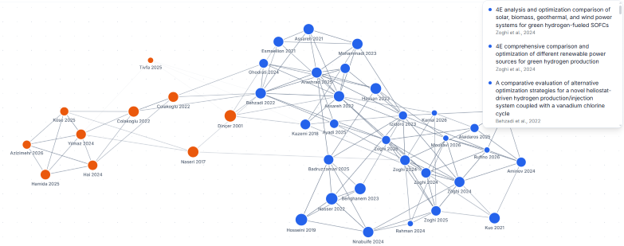
Figure 1. Research paper map generated using SciCampus Literature Matrix for energy, exergy, and economic optimization in green hydrogen research.
The map shows two visible groups of papers, drawn as blue and orange circles, with many connections inside and between the groups. The paper list on the right includes studies such as:
4E analysis and optimization comparison of solar, biomass, geothermal, and wind power systems for green hydrogen-fueled SOFCs (Zoghi et al.)
4E comprehensive comparison and optimization of different renewable power sources for green hydrogen production (Zoghi et al.)
A comparative evaluation of alternative optimization strategies for a novel heliostat-driven hydrogen production/injection system coupled with a vanadium chlorine cycle (Behzadi et al., 2022)
The first two papers share the same author group and the same research design: both compare solar, biomass, geothermal and wind power sources for green hydrogen production with a 4E (energy, exergy, exergy-economic, environmental) analysis. That kind of closeness is exactly what a map is meant to expose.
The screenshot does not show what the blue and orange groups are called. Do not guess their meaning from color. Open the group and read the individual papers in the interactive tool.
How do you read a research paper map?
Literature Matrix uses four visual features.
Visual feature | What it shows | How to use it |
|---|---|---|
Circle size | Larger circles mean higher citation counts | Spot widely cited papers, then check their relevance |
Circle color | Content-related topic groups | Read one group at a time |
Connecting lines | Content similarity; darker lines mean stronger similarity | Follow strong links to find closely related studies |
Position | Papers with similar content generally sit closer together | Look for dense clusters and isolated papers |
Selecting a paper opens its title, authors, publication year, abstract, citation count and related studies, with links to its DOI page or OpenAlex record.
A caution on circle size: citation counts come from OpenAlex, which builds citations by matching reference lists to works already in its catalog. The numbers can differ from Google Scholar or Scopus, and a recent paper has had little time to be cited. Use size as a pointer, not a ranking of quality.
How can you find related research papers with Literature Matrix?
There are three ways to start a map.
Search by research topic
Enter keywords or a research question. This suits the start of a literature review or an unfamiliar field. Better keywords give better maps; see keyword strategy for academic databases.
Search by paper title
Enter the title of a paper you already know to discover studies on related subjects. This extends your reading beyond one starting reference.
Search by DOI
Enter a DOI to build a map centered on that paper, with related studies arranged around it.
When is a research paper mapping tool useful?
Starting a literature review: explore the main topic groups and pick papers for closer reading.
Finding related studies: surface papers connected by content, even when they use different terminology.
Spotting highly cited papers: use circle size to find influential work, then judge its fit.
Preparing a related work section: see how studies connect before you organize them in your manuscript (see the scientific writing roadmap).
Entering a new field: build a quick visual overview of papers and themes.
Literature Matrix supports discovery. It does not replace reading and critically evaluating the original studies. Connections reflect content similarity, not research quality or scientific agreement. Two papers can sit side by side and reach opposite conclusions.
How do you use SciCampus Literature Matrix step by step?
Enter a research topic, paper title or DOI.
Select Build Map.
Explore the groups, citation counts and similarity connections.
Select papers to read their details and follow links to the original records.
The map supports zooming, panning, full-screen viewing and a list view of the included papers.
Who can use Literature Matrix, and how often?
Literature Matrix is included in the SciCampus Pro plan and other eligible plans. Plans that include it give a daily allowance for building new maps, and the interface shows your current allowance. Reopening a map you already created for the same search does not use another map-building allowance. Check the official Literature Matrix page for current access conditions.
Frequently asked questions
How many papers does a map include?
Up to 40 papers per map, retrieved from OpenAlex.
Does it read the full text of papers?
No. Content similarity is based on titles and abstracts, so always open the paper before you cite it.
Does a strong connection mean two papers agree?
No. A connection means similar content, not similar findings.
Can I use it with a paper I already have?
Yes. Search by the paper's DOI to center a map on it.
Next steps after you map your field
Choose where to publish with the Journal Finder and the guide to choosing Q1 and Q2 journals.
Write the abstract with the four-function model.
Check your draft with the Similarity Check before submission.
Related Reading (Topic Ideas for Future Posts)
How to choose search keywords that return better research maps
How to turn a cluster of papers into a related work section
Highly cited vs relevant: how to judge a paper beyond its citation count
Sources
OpenAlex: scholarly research data; see also OpenAlex documentation on citations
Allen Institute for AI: SPECTER2; Cohan et al. (2020), SPECTER: Document-level Representation Learning using Citation-informed Transformers, arXiv:2004.07180
Zoghi, M., Gharaie, S., Hosseinzadeh, N., & Zare, A. (2024). 4E analysis and optimization comparison of solar, biomass, geothermal, and wind power systems for green hydrogen-fueled SOFCs. Energy, 313. doi:10.1016/j.energy.2024.133740
Zoghi, M., Hosseinzadeh, N., Gharaie, S., & Zare, A. (2025). 4E comprehensive comparison and optimization of different renewable power sources for green hydrogen production. Renewable Energy, 240. doi:10.1016/j.renene.2024.122254